Mobile menu - close icon padding
Style / Offcanvas
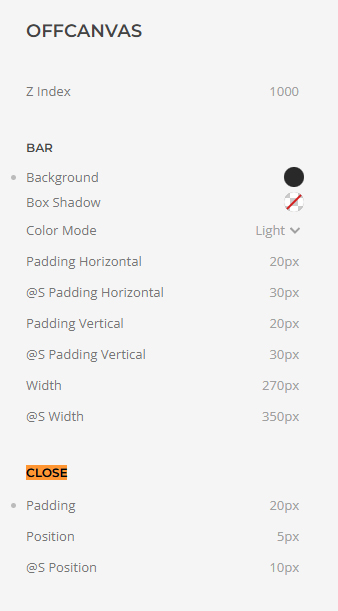
- Hits: 17
Style / Offcanvas
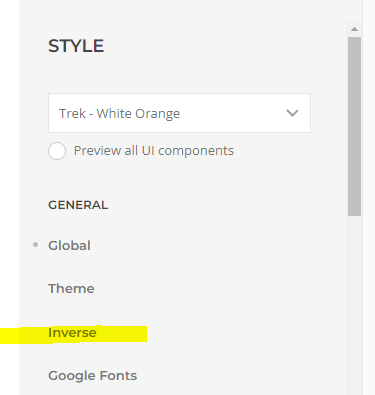
Style / General / Inverse
/* mobile menu hamburger / toggle size */
.tm-header-mobile .uk-navbar-toggle-icon svg {
width: 30px;
}
/* mobile menu logo margin */
.uk-logo :where(img,svg,video) {
margin-bottom: 6px;
margin-top: 6px;
}
/* mobile menu background colour */
.tm-header-mobile .uk-navbar-container {
background-color: white;
}
/* mobile menu offcanvas top padding */
.uk-offcanvas-flip .uk-open>.uk-offcanvas-bar {
padding-top: 60px;
}
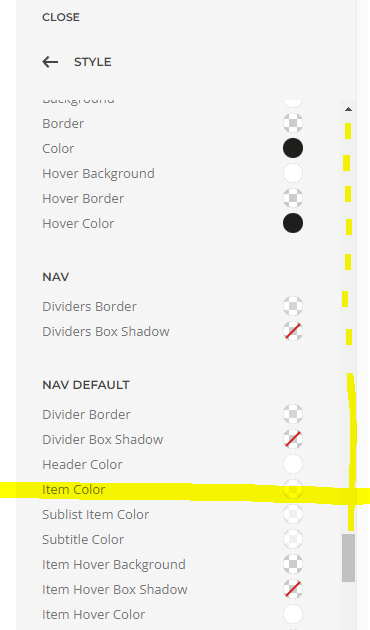
Then a long way down!
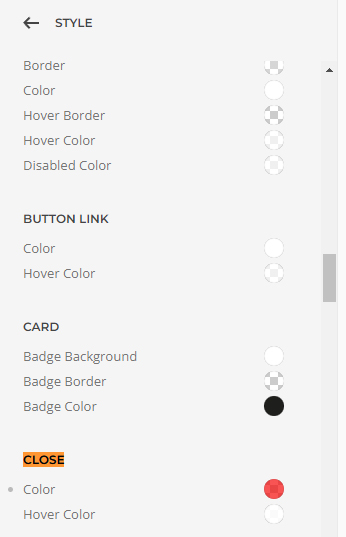
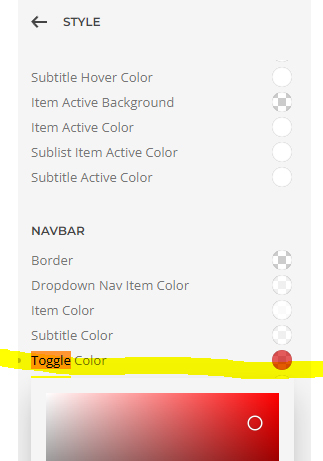
Close button
The Hamburger!!!
create a module and add your content, image, text.
Publish in the dialog-mobile position
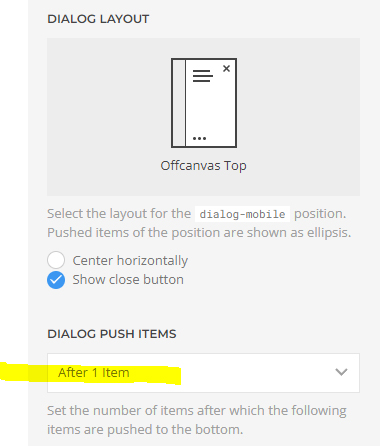
To get the logo to go to the bottom, go to:
Layout / mobile / dialog push items / After 1 Item
/* Table design */
tr:hover {background-color: #dcdcdc;
}
table, th, td {
border: 1px solid;
}
.styled-table {
border-collapse: collapse;
margin: 25px 0;
font-size: 0.9em;
font-family: sans-serif;
min-width: 400px;
box-shadow: 0 0 20px rgba(0, 0, 0, 0.15);
}
.styled-table thead tr {
background-color: #fcc312;
color: #000;
text-align: left;
font-weight: bold;
font-size: 16px;
}
.styled-table th,
.styled-table td {
padding: 12px 15px;
}
.styled-table tbody tr {
border-bottom: 1px solid #fe1419;
}
.styled-table tbody tr:nth-of-type(even) {
background-color: #f3f3f3;
}
.styled-table tbody tr:last-of-type {
border-bottom: 20px solid #000;
}
.styled-table tbody tr.active-row {
font-weight: bold;
color: #009879;
}
/* END Table design */
In a grid - Item / Advanced / Dynamic Content / Page / Articles
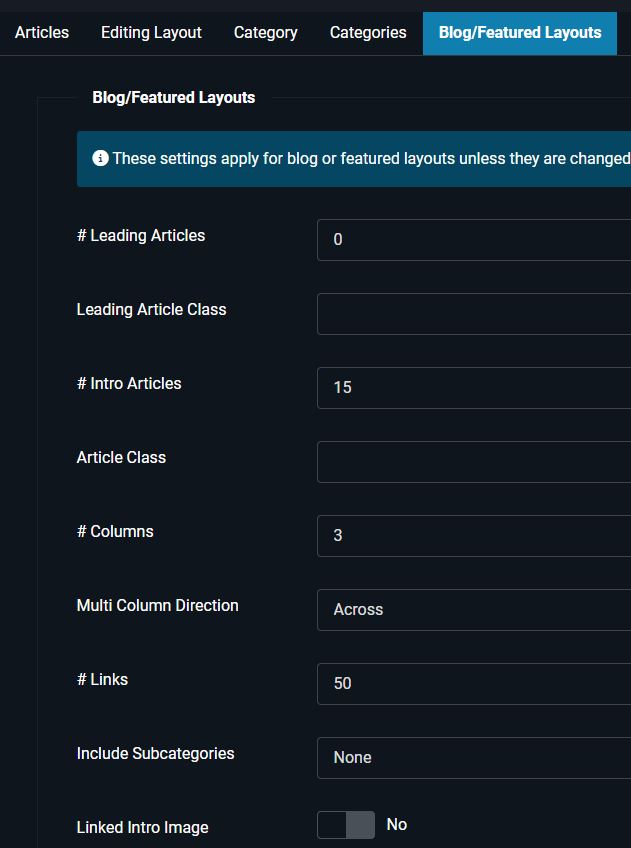
and change the Joomla, Blog/Featured Layouts options to show
Leading Articles 0
Intro Articles 12
In detail
https://yootheme.com/support/question/153304
The menu item should be of the type Articles > Category Blog, with the appropriate category selected, of course.
In the Customizer navigate to this page by clicking on the menu item.
Click on "Templates", then on "New Template" (unless you already have one for that), click on the name of the „Template", and create a "New Layout" (or proceed with the existing one).
Add a "Grid" element to the layout (or edit the existing one), edit it, click on "New Item" (or use the existing one), edit the item, click on the tab "Advanced", select Dynamic Content > Page: Articles, and save the changes.
Click on the tab "Content", and select
TITLE > Dynamic > Article: Title
META > Dynamic > Article: Meta
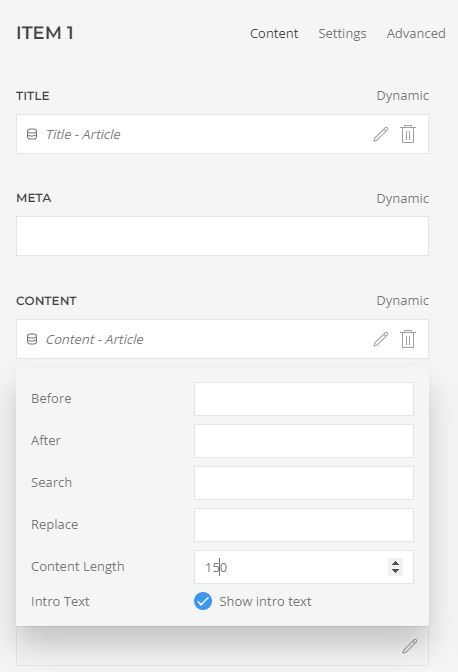
CONTENT > Dynamic > Article: Teaser (or Article: Content >  > Content Length: 120, for example)
IMAGE > Dynamic > Article: Intro Image
IMAGE ALT > Dynamic > Article: Intro Image Alt
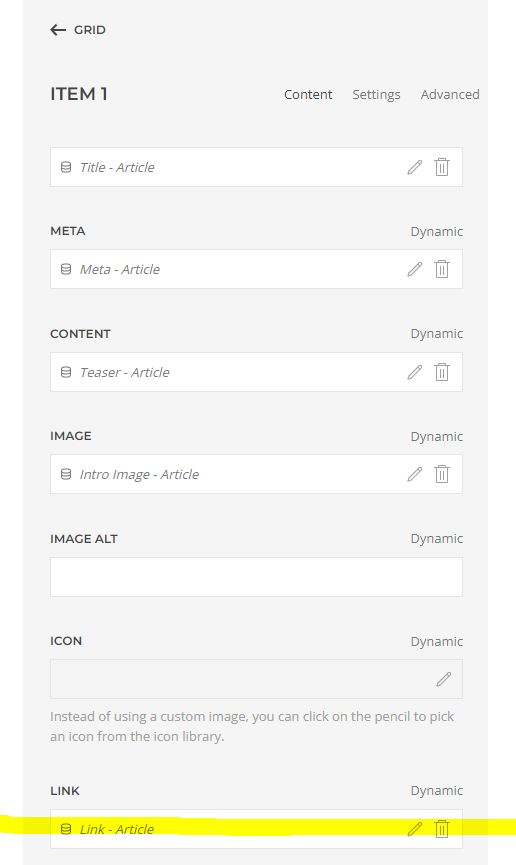
LINK > Dynamic > Article: Link (!)
Save the changes, and have a look at the result.
Once you see content you can adjust the number of columns, styling, image position, etc. via Grid > Settings > Columns, etc.
Regarding the number of articles per page: Unless this is a special use case, do not change the „Quantity“ in the „Advanced“ Tab. To learn more about controlling the number of articles and configuring a "Pagination", please have a look at the tutorial "How to make the "Pagination" element work as expected".
RGC News blog with restriction to article length so adds the read more without it needing to be in the article!!!
Limpsfield Fitness - Meet the Team
Wood Floors Farnham - News Blog
To change the number of articles showing.
*Add Pagination to the category blog template*
Set it up in Joomla / Articles / Options
header | logo | toolbar-right | toolbar-left | navbar | search
dialog |
Limpsfield Fitness - Join in
Pisani Hair Salon - https://pisanihairsalon.co.uk/gallery
https://yootheme.com/support/yootheme-pro/joomla/dynamic-content
THEN SCROLL DOWN TO USING EXTERNAL SOURCES
Add a gallery, add an item
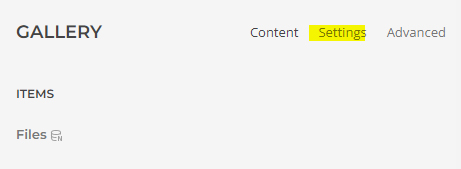
In the top level, Gallery / settings
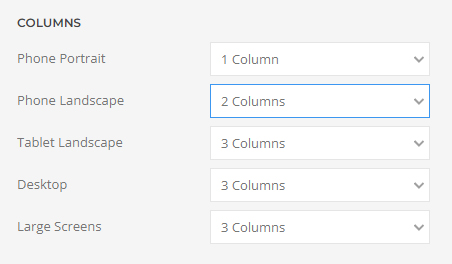
Choose how many columns you want to display
Return to the content
click into the item, click on advanced
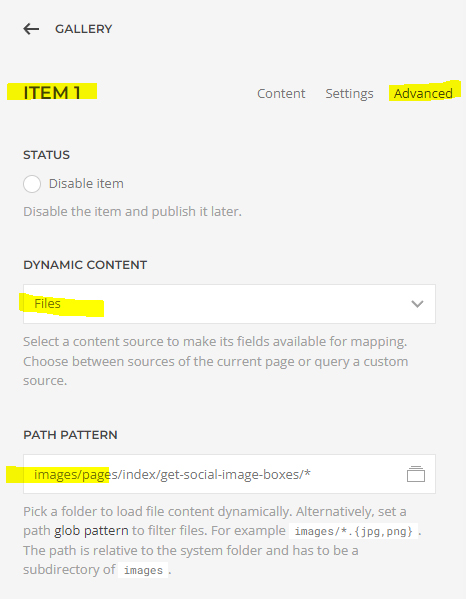
Click the Dynamic content drop down open and choose files
Click on the path pattern and choose the folder you want to use.

Scroll down and choose how many images you want to show at a time.
Also choose if you want random images to show rather than the first 6.
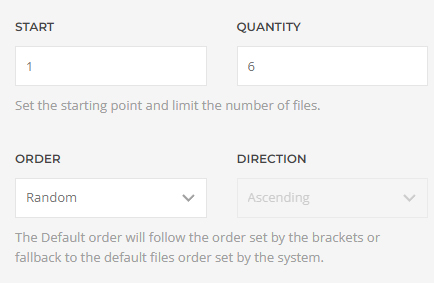
Return to the content area and click on the dyamic button to map the source.
Choose Url - file
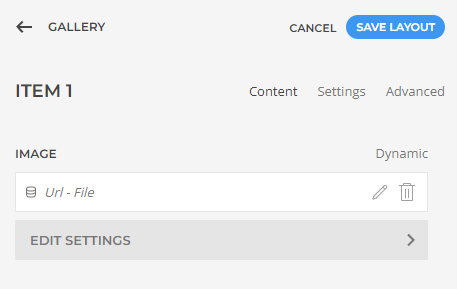
Pisani - Our Gallery
Love your bathroom home page
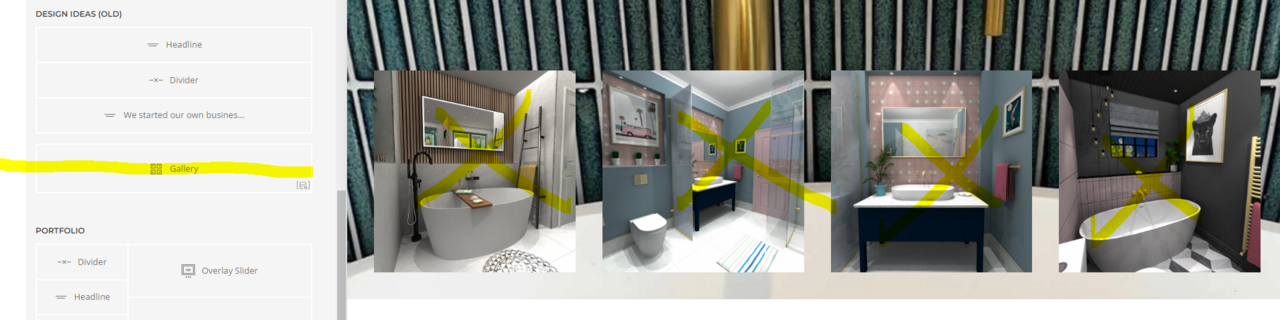
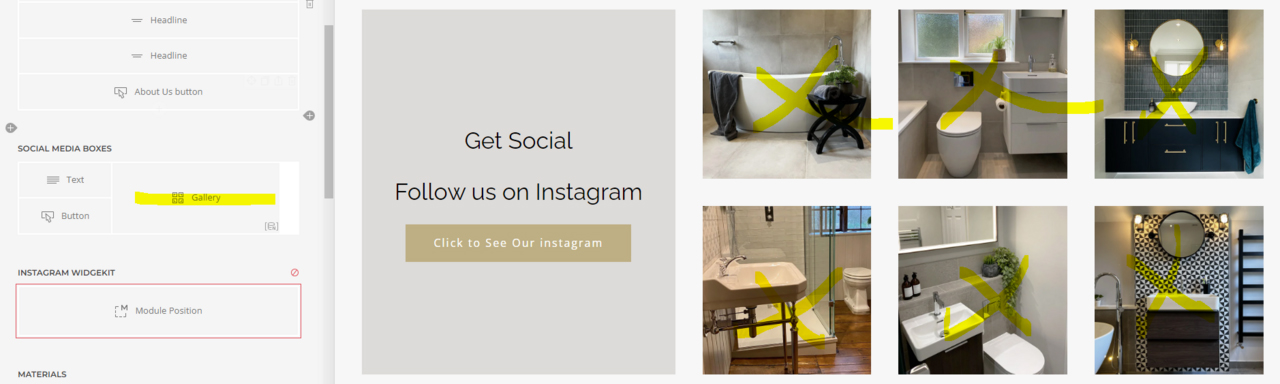
My guess is that you imported a layout with a "Transparent Header".
After importing the "Pro Layout", open the "Builder", hover over the name of the section at the very top (= the first section of the page),
click on the pencil icon to edit it,
click on "Settings",
select Transparent Header: None, and save the changes.
YOOtheme / Settings / External Services
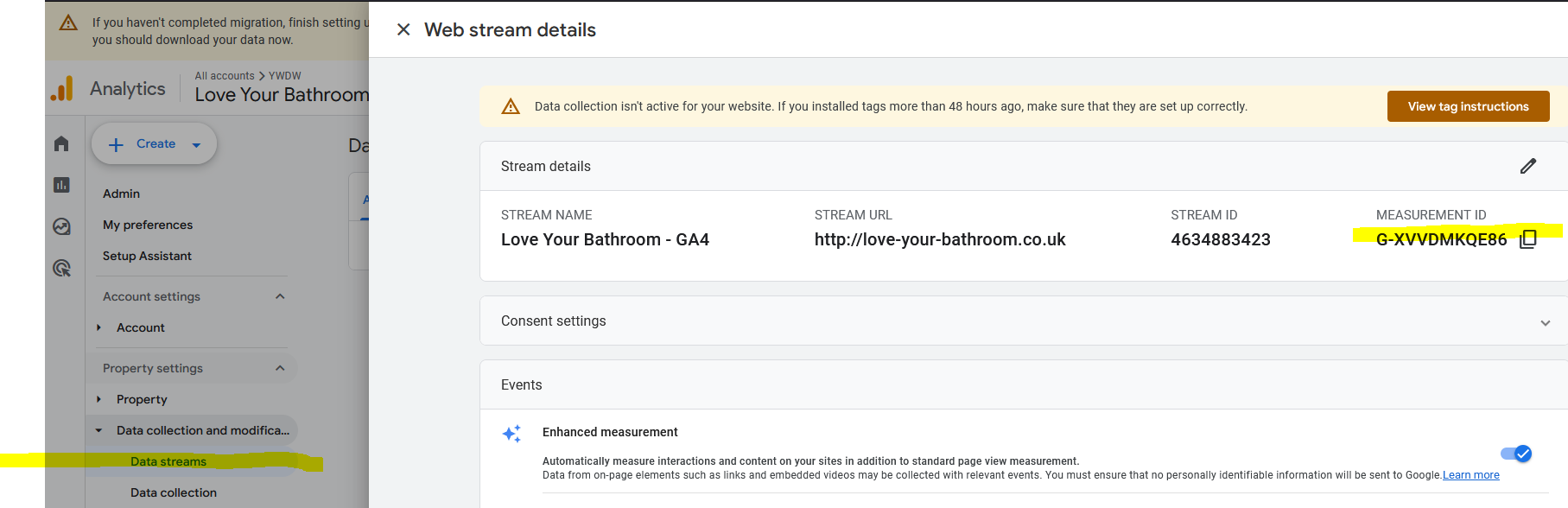
Go to https://analytics.google.com/analytics/web/#/p352203128/reports/intelligenthome
click on your GA4 property top left / Admin wheel bottom left / Data collection and modification / Data streams / then the arrow next to your property /

then copy the measurement id with the G in front.
Copyright Code - CHANGE DEFAULT EDITOR TO NONE! System / Global Configuration / Site
Short
© <script> document.currentScript.insertAdjacentHTML('afterend', '<time datetime="' + new Date().toJSON() + '">' + new Intl.DateTimeFormat(document.documentElement.lang, {year: 'numeric'}).format() + '</time>'); </script> Love Your BathroomLong
©<script> document.currentScript.insertAdjacentHTML('afterend', '<time datetime="' + new Date().toJSON() + '">' + new Intl.DateTimeFormat(document.documentElement.lang, {year: 'numeric'}).format() + '</time>'); </script>

Copyright XXXXXXXXXX. All Rights Reserved.

<p>website designed and built by yeswedowebsites.com</p>
<p style="color: #666">website designed and built by yeswedowebsites.com</p>