Dynamic - Joomla Category Blog Set up and show Read More and pagination
In a grid - Item / Advanced / Dynamic Content / Page / Articles
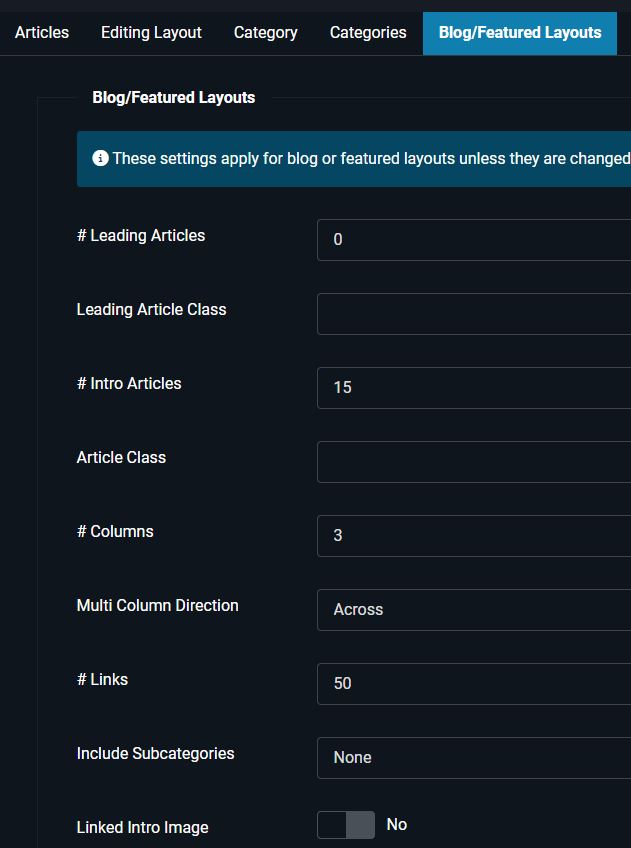
and change the Joomla, Blog/Featured Layouts options to show
Leading Articles 0
Intro Articles 12
In detail
https://yootheme.com/support/question/153304
-
The menu item should be of the type Articles > Category Blog, with the appropriate category selected, of course.
-
In the Customizer navigate to this page by clicking on the menu item.
-
Click on "Templates", then on "New Template" (unless you already have one for that), click on the name of the „Template", and create a "New Layout" (or proceed with the existing one).
-
Add a "Grid" element to the layout (or edit the existing one), edit it, click on "New Item" (or use the existing one), edit the item, click on the tab "Advanced", select Dynamic Content > Page: Articles, and save the changes.
-
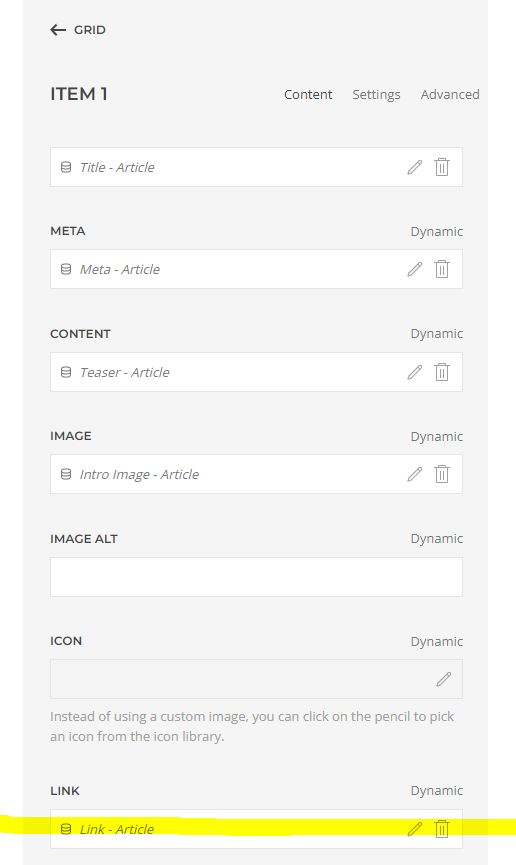
Click on the tab "Content", and select
TITLE > Dynamic > Article: Title
META > Dynamic > Article: Meta
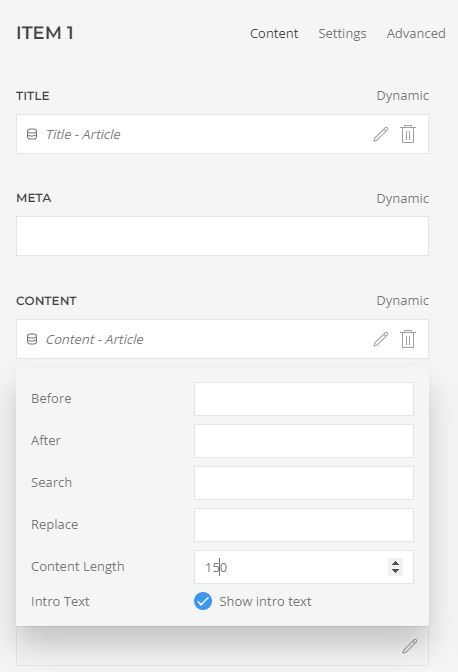
CONTENT > Dynamic > Article: Teaser (or Article: Content > > Content Length: 120, for example)
IMAGE > Dynamic > Article: Intro Image
IMAGE ALT > Dynamic > Article: Intro Image Alt
LINK > Dynamic > Article: Link (!)
Save the changes, and have a look at the result.
Once you see content you can adjust the number of columns, styling, image position, etc. via Grid > Settings > Columns, etc.
Regarding the number of articles per page: Unless this is a special use case, do not change the „Quantity“ in the „Advanced“ Tab. To learn more about controlling the number of articles and configuring a "Pagination", please have a look at the tutorial "How to make the "Pagination" element work as expected".
RGC News blog with restriction to article length so adds the read more without it needing to be in the article!!!
Limpsfield Fitness - Meet the Team
Wood Floors Farnham - News Blog
To change the number of articles showing.
*Add Pagination to the category blog template*
Set it up in Joomla / Articles / Options
- Hits: 55