Title Primary Secondary Style - Background
Style / Global / backgrounds
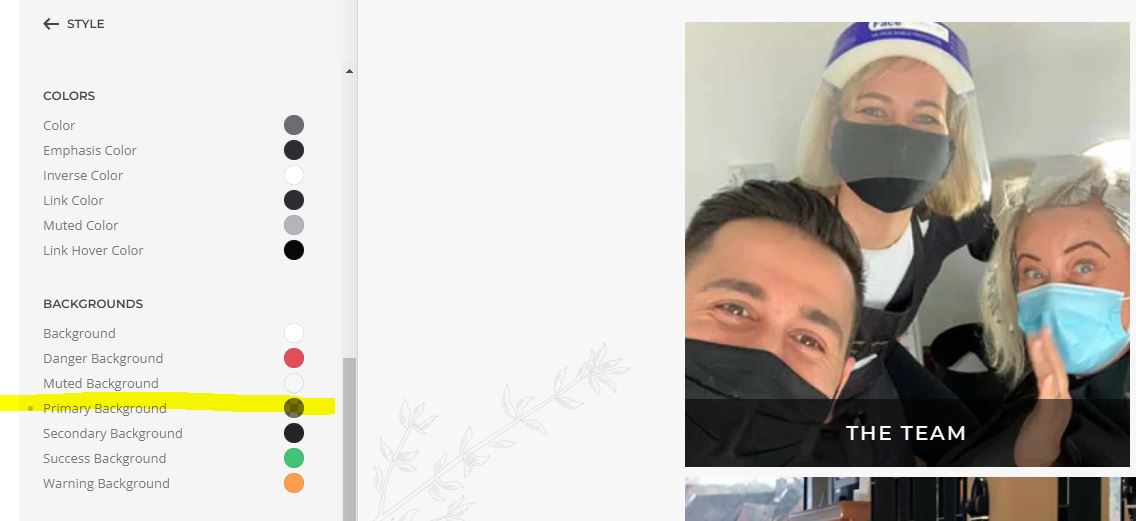
- Hits: 14
Style / Global / backgrounds
Style / Global /
Drop Kick Brewing
Nice fonts.
Topography - pt serif
Primary - Teko
Secondary - montserrat
Text / Meta
Style / Section
change the background colour
Style / Button / Background
https://www.millbanknurseryschools.co.uk/
https://woodfloors-farnham.co.uk/
To the best of my knowledge, the Lightbox will generally get the default "Slide" animation when navigating through the items, and there is no setting to change that.
But by way of a customization you could try the following:
my-lightbox-fade-animation jQuery(function($) {
$('.my-lightbox-fade-animation [uk-lightbox]').attr('uk-lightbox','toggle: a[data-type]; animation: fade');
});Important in case the field is not empty and already contains any JavaScript content: If the existing script content is wrapped in <script> and </script> tags insert the additional script also wrapped in <script> and </script> tags. Alex provided a helpful information page for this subject: Secrets of the custom code Script field.
Reload the page to test the result.
Change the main header area colour
Style > Theme > Header Top > Background
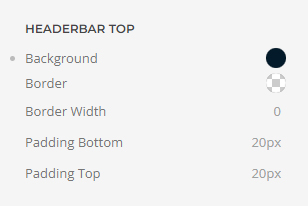
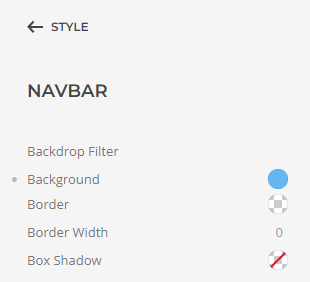
And then the menu nav bar
Style > Navbar > Background
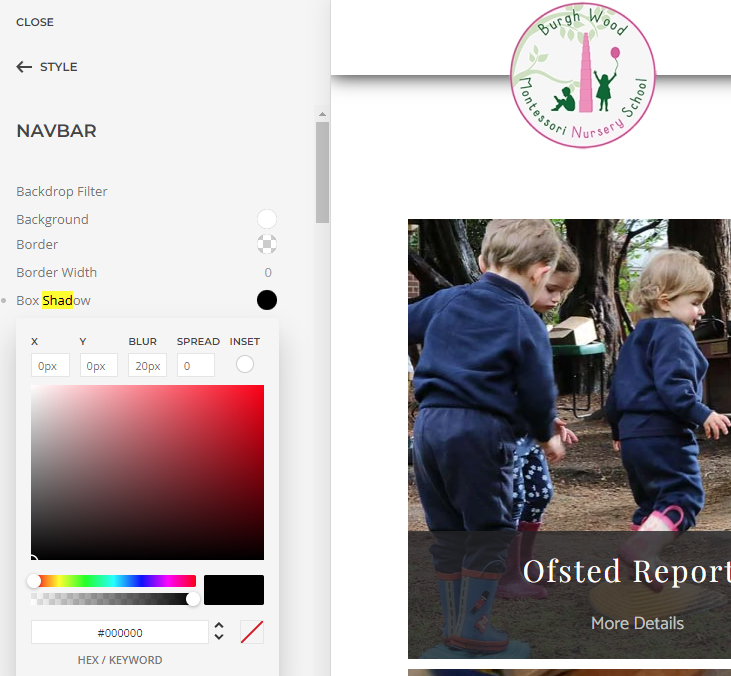
Style / navbar / Box Shadow -
Don't forget to add the px
Go to Templates and create a 404 template.
Then look down the panel and click on the 'Visit the 404 error page.'
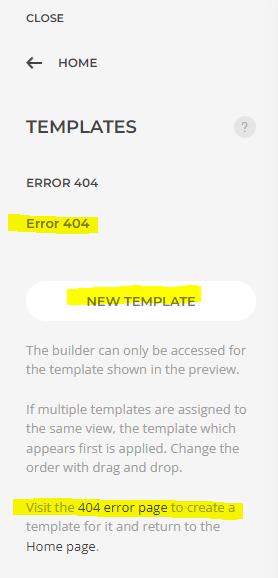
To return to the home page click on the Home page link at the bottom of that panel.