Remove Page Title | Breadcrumbs | Content Padding in Creative Elements - Top image space
If you want an image or slider to go hard up against your header then you need to turn off the Page Title and the breadcrumbs.
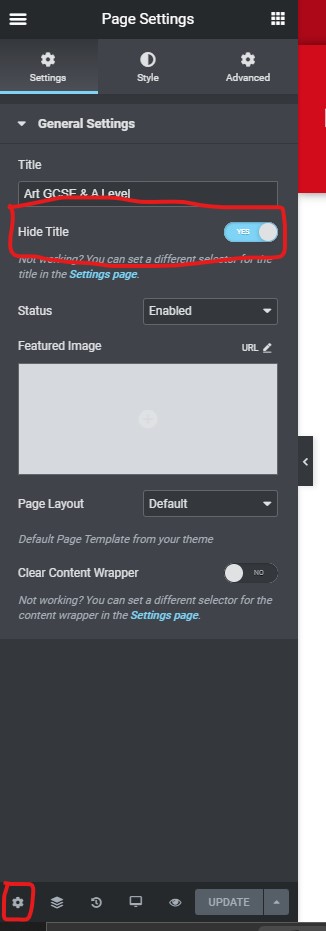
Turn off the Page Title
Go to Page Settings > gear icon at the bootom left hand of the page > Hide Title to 'Yes'
Comment out breadcrumbs with CSS
/* comment out the breadcrumbs */
#cms #wrapper  .breadcrumb {
     display: none;
}
Remove Content Element padding with CSS
/*Push the slider to the top of the page and remove padding from content element */
#wrapper {
padding-top: 0;
}

.page-content.page-cms {
padding: 0;
}
- Hits: 18