Set up JFilters in Yootheme Pro
(Explanation on their website too: https://blue-coder.com/help/blog/jfilters-yootheme-pro?highlight=WyJsaW5rIiwiJ2xpbmsiLCJsaW5rcyIsImxpbmtpbmciXQ==)
Make sure the JFilters, YoothemePro plugin is loaded and enabled.
Make sure Ajax Interfce is turned off.
In the Joomla menu make a menu item JFilter Reshils and select JFilter / Results from the Menu itme type - save.
In YoothemePro go to the new JFilter menu item page.
Create a Template, call it JFilters Results. Choose Page / JFilters Results
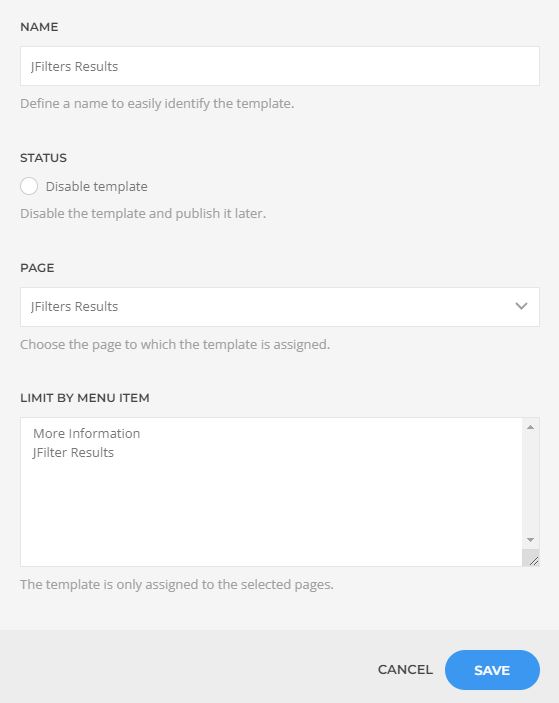
Save the template it will have a dot beside it if you are on the JFilter page, click on the templte to open the builder / template
Click New Layout.
Split the section into 2 columns
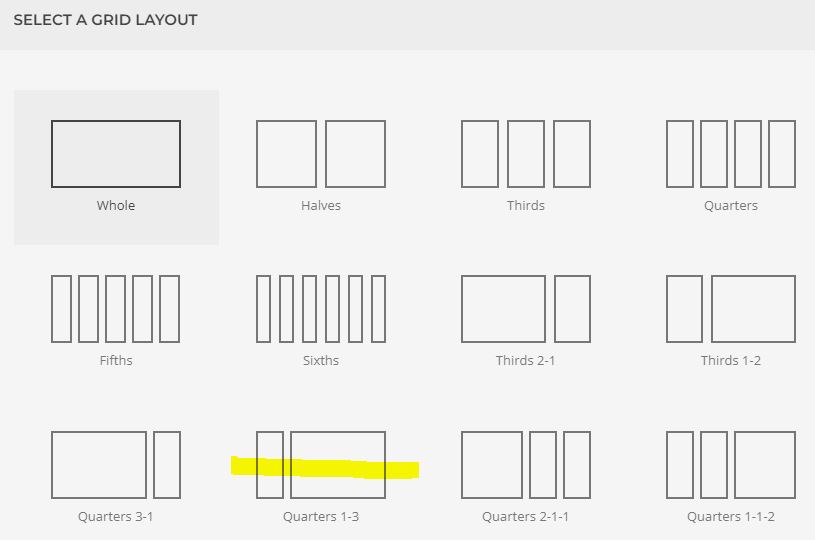
Add a grid into the the second column
Click on the grid and add an item
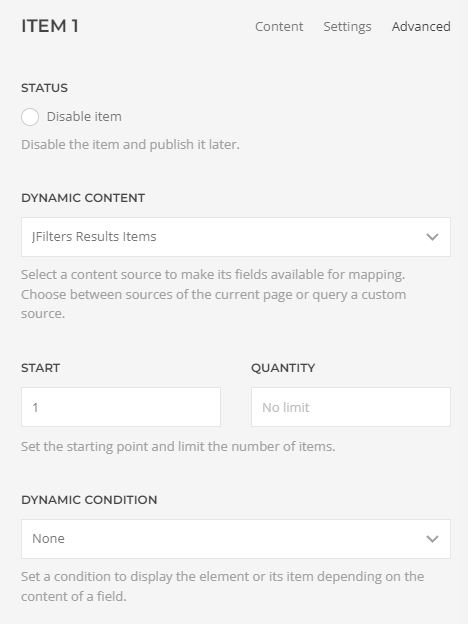
Inside the item you have just created to to the advanced tab and from the Dynamic Content drop-down, select JFilters Results Items.
Still inside the item go to the Content tab and map the title
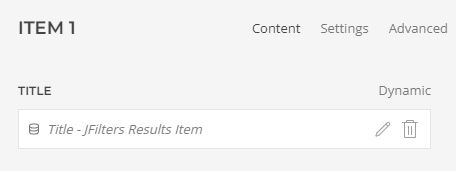
Contine to map the items on this page.
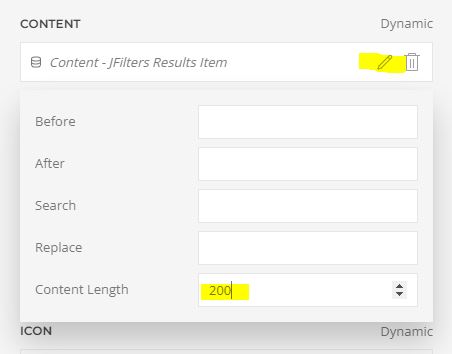
Limit the amount of full content showing, by setting the content length. Click on the edit icon.
- Hits: 32