Nav Active Menu Item
From what I can see in the source, your "active" menu items do not yet get the required class uk-active, so the "Active Color" styling will not be applied.
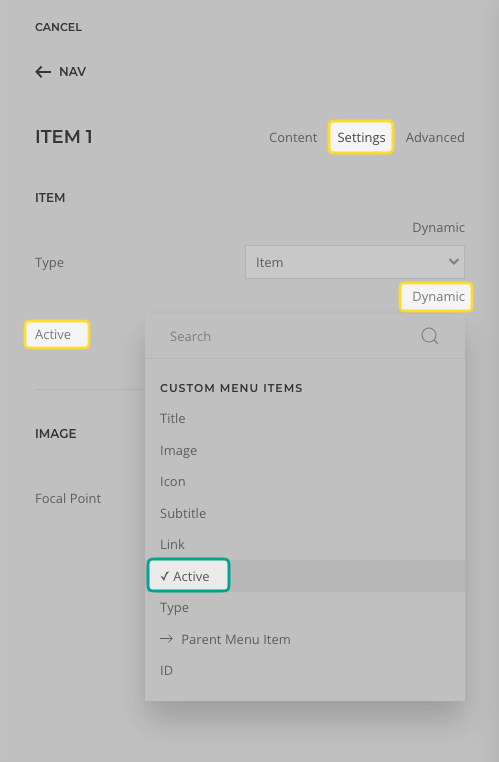
Edit the Dynamic Content item, and select Settings > ITEM > Active > Dynamic > Custom Menu Item/s: Active. This would apply the class to the "active" menu item — and subsequently style it accordingly.
- Hits: 7