Website Hosted elsewhere - settings for Mail through Blackbarn
We are sometimes asked to run the DNS for a client and their emails while the website is hosted elsewhere.
This means we have to pay attention to some settings in Blackbarn to make the emails flow properly.
This example is from thecrowninnfivehead.co.uk in the mambonight cPanel account.
Set the mail A record
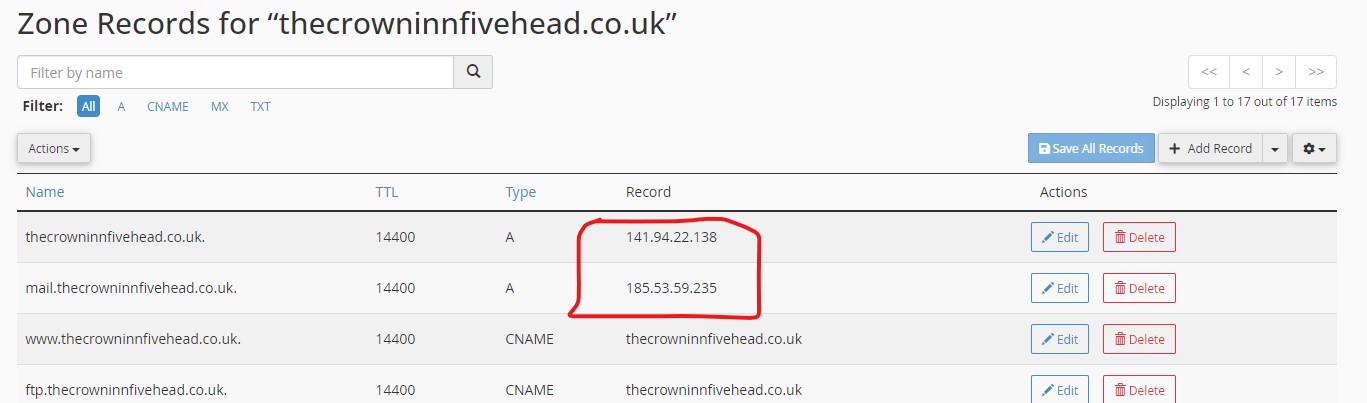
cPanel > Tools > Domains > Zone Editor > select domain > manage
Looking at the Zone Editor, the A record has been changed to 141.94.22.138 as that's where the website will be served from; however, that will also automatically change the 'mail.' A record as well, this will need to be changed to our server IP address of 185.53.59.235
Set the destination with Strike
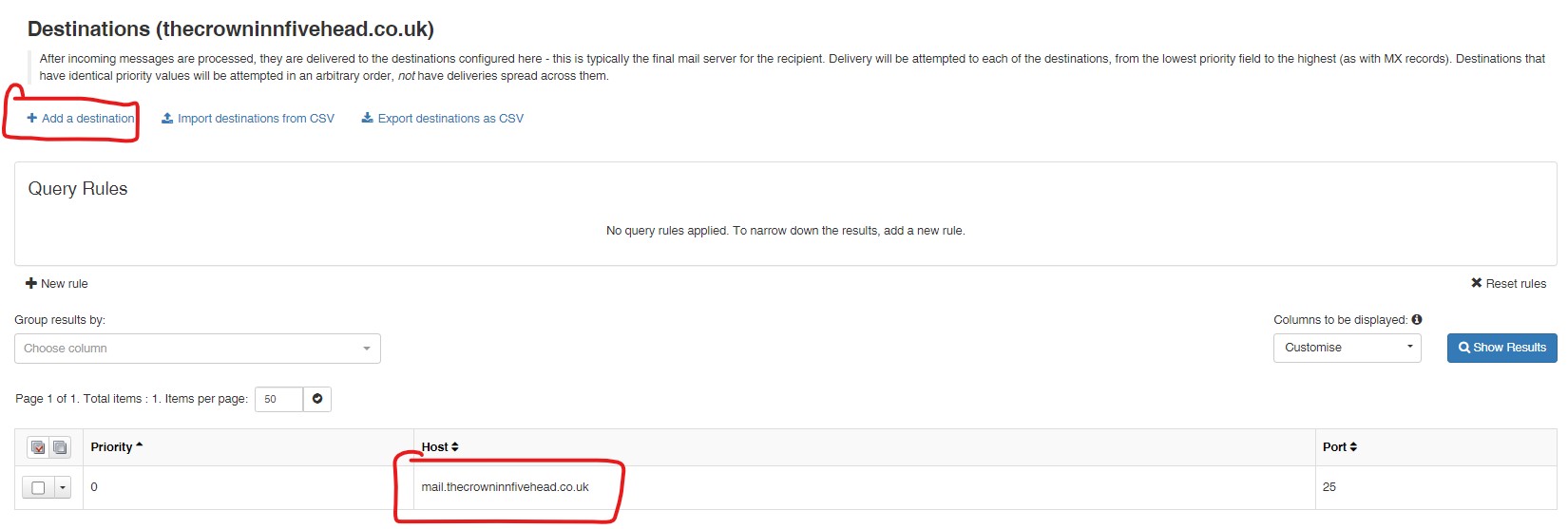
cPanel > Tools > Email > Professional Spam Filter > login to the appropriate domain > Incoming > Destinations
Add as a destination
Add the website hosting address to the SPF record
cPanel > Tools > Domains > Zone Editor > select domain > manage

- Hits: 16